I got a label maker and had the strangest experience.
-
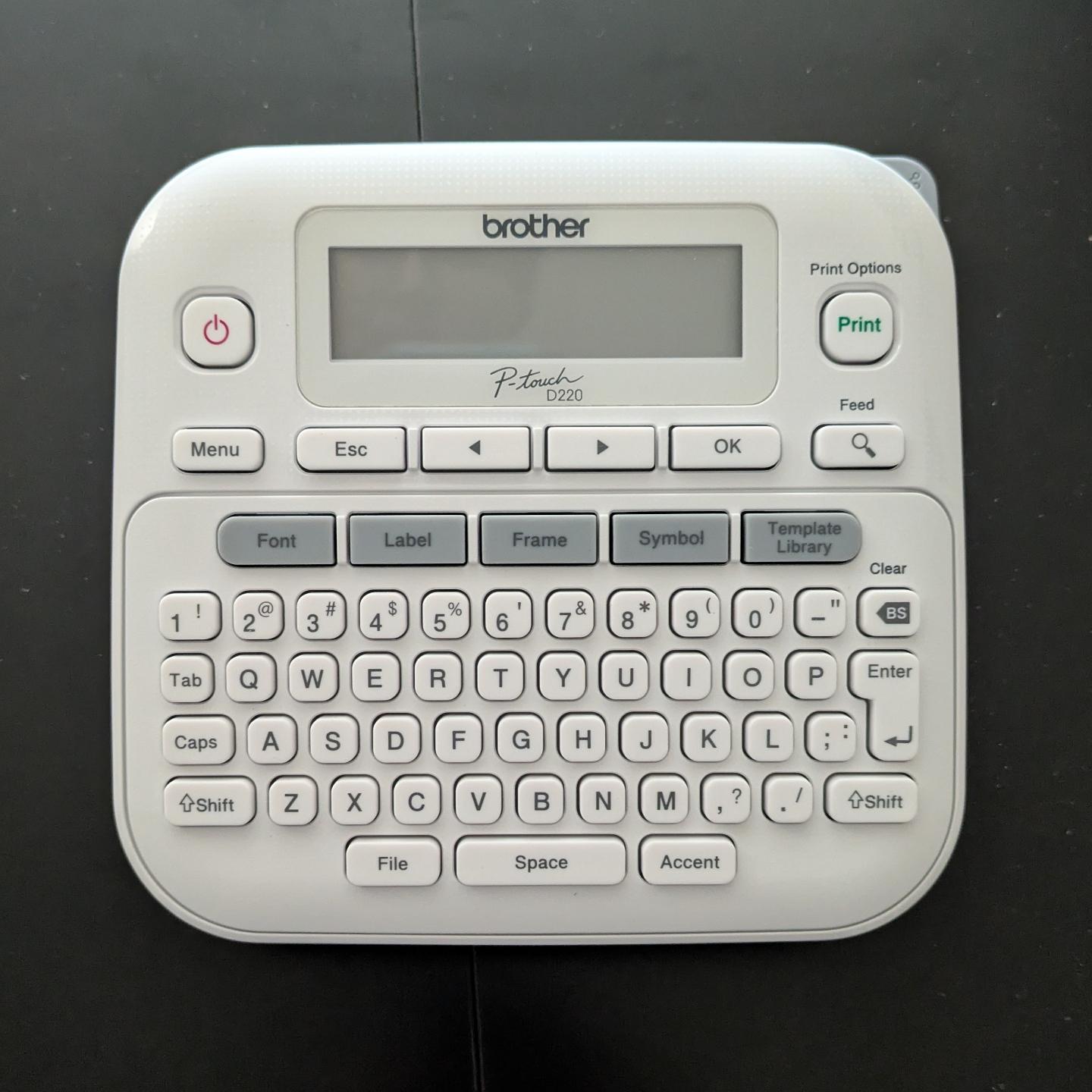
I got a label maker and had the strangest experience. I opened the box, loaded the sample roll of label ribbon, inserted 6(!) AAA batteries, and it worked.
No apps to download. No account to log into. No firmware updates. No pop-over "helpful tips" about how it's "now enabled with AI" or whatever.
I just typed in the label I wanted and hit "print", and it did it. Astonishing. Nostalgic.
@malcircuit
I've also bought a Brother labeler and had the same experience!(I maybe could got the version with an USB, to print barcodes. Linux has driver support for many models.)
Edit: maybe one caveat, my PT-E110 also uses AAA batteries, but guesstimating it could fit AA. Why IDK, but still I have a wall wart included.
-
@danni_storm @malcircuit I discovered that my brother labeler was compatible with a cheap guitar pedal DC power supply I picked up originally for a pedal (then when I decided to put together a pedal board I picked up a slightly more expensive multi-pedal per supply, only after I discovered the original worked for the labeler I misplaced it).
@LilFluff@mastodon.art @danni_storm@hachyderm.io @malcircuit@thingy.social that’s interesting, guitar pedals are the opposite polarity to almost everything else with a barrel-jack plug and socket these days for some evolutionary reason to which indubitably there’s a story behind.
-
I got a label maker and had the strangest experience. I opened the box, loaded the sample roll of label ribbon, inserted 6(!) AAA batteries, and it worked.
No apps to download. No account to log into. No firmware updates. No pop-over "helpful tips" about how it's "now enabled with AI" or whatever.
I just typed in the label I wanted and hit "print", and it did it. Astonishing. Nostalgic.
@malcircuit brilliant! I've wanted one of those things for years. If I can just label everything in my life then my impending dementia will hold no fear for me.
-
@malcircuit@thingy.social
On the flip side I have a brother printer that doesn't understand colour profiles and only applies whatever one was loaded at the factory. For physical proofs I have to go back in time 30 - 40 years and make 2 versions of everything - a digital one in the colours I want and one so that hard copies are in the colours I want with heavy annotations in CYMK.@Theriac@plasmatrap.com @malcircuit@thingy.social yes, Brother printers have absolutely no idea about colour accuracy whatsoever, I don’t know why the technical people keep banging on about ‘get a Brother laser printer’ and they’ll point to a mono laser, I mean what on earth use is a mono printer and I wouldn’t want to be sitting next to a laser printer anyway for health reasons. Sometimes I think the technical people have absolutely no originality and just copy what someone once said decades and decades ago when someone bought a Brother laser printer and never needed to check colour accuracy or print actual artwork on it, maybe they just needed to print a sign ‘back in 5 mins’ and it did that successfully and forever now we’re saddled with technical people parroting off that Brother are marvellous because it printed a black and white sheet of dubious typography.
-
I got a label maker and had the strangest experience. I opened the box, loaded the sample roll of label ribbon, inserted 6(!) AAA batteries, and it worked.
No apps to download. No account to log into. No firmware updates. No pop-over "helpful tips" about how it's "now enabled with AI" or whatever.
I just typed in the label I wanted and hit "print", and it did it. Astonishing. Nostalgic.
@malcircuit There's a P-Touch in the kitchen junk drawer. I keep a set of Sanyo Eneloop rechargeable batteries in it. I pull it out a couple of times a year. It always works.
-
I got a label maker and had the strangest experience. I opened the box, loaded the sample roll of label ribbon, inserted 6(!) AAA batteries, and it worked.
No apps to download. No account to log into. No firmware updates. No pop-over "helpful tips" about how it's "now enabled with AI" or whatever.
I just typed in the label I wanted and hit "print", and it did it. Astonishing. Nostalgic.
@malcircuit it has been 21 h since you posted this. Is there anything left in your household which is not labelled at this point?
-
@malcircuit Had a technician’s label maker from them at work. Worked great. Should’ve kept it when I quit, because they don’t make that model any more
@FurryBeta @malcircuit Even their regular P-Touch label makers are super useful tho. I have the big brother to this machine, the PT-D400, and I've made *so many* labels around the house with it! They're not terribly expensive either, and the cheap aftermarket TZe tapes work just fine with it too
-
I got a label maker and had the strangest experience. I opened the box, loaded the sample roll of label ribbon, inserted 6(!) AAA batteries, and it worked.
No apps to download. No account to log into. No firmware updates. No pop-over "helpful tips" about how it's "now enabled with AI" or whatever.
I just typed in the label I wanted and hit "print", and it did it. Astonishing. Nostalgic.
@malcircuit it does make you wonder why they didn't just put a 9V battery instead at that point

-
I got a label maker and had the strangest experience. I opened the box, loaded the sample roll of label ribbon, inserted 6(!) AAA batteries, and it worked.
No apps to download. No account to log into. No firmware updates. No pop-over "helpful tips" about how it's "now enabled with AI" or whatever.
I just typed in the label I wanted and hit "print", and it did it. Astonishing. Nostalgic.
@malcircuit No Bluetooth nor WiFi it’s a feature now, not a lack thereof.
-
I got a label maker and had the strangest experience. I opened the box, loaded the sample roll of label ribbon, inserted 6(!) AAA batteries, and it worked.
No apps to download. No account to log into. No firmware updates. No pop-over "helpful tips" about how it's "now enabled with AI" or whatever.
I just typed in the label I wanted and hit "print", and it did it. Astonishing. Nostalgic.
@malcircuit I bought my P-touch in 2011. Still works perfectly. The new ones still use the exact same tape cartridges as always, no deprecation of old devices. Cheap knockoff cartridges a-plenty for cheap on Amazon
-
I got a label maker and had the strangest experience. I opened the box, loaded the sample roll of label ribbon, inserted 6(!) AAA batteries, and it worked.
No apps to download. No account to log into. No firmware updates. No pop-over "helpful tips" about how it's "now enabled with AI" or whatever.
I just typed in the label I wanted and hit "print", and it did it. Astonishing. Nostalgic.
@malcircuit Brother used to have a label maker for the PC. When you would attach it to the computer via USB, a USB drive would show up with the app and instructions. Launch the app, design your label, and print! Nothing to install or anything!
-
 B bettina@mastodon.nu shared this topic