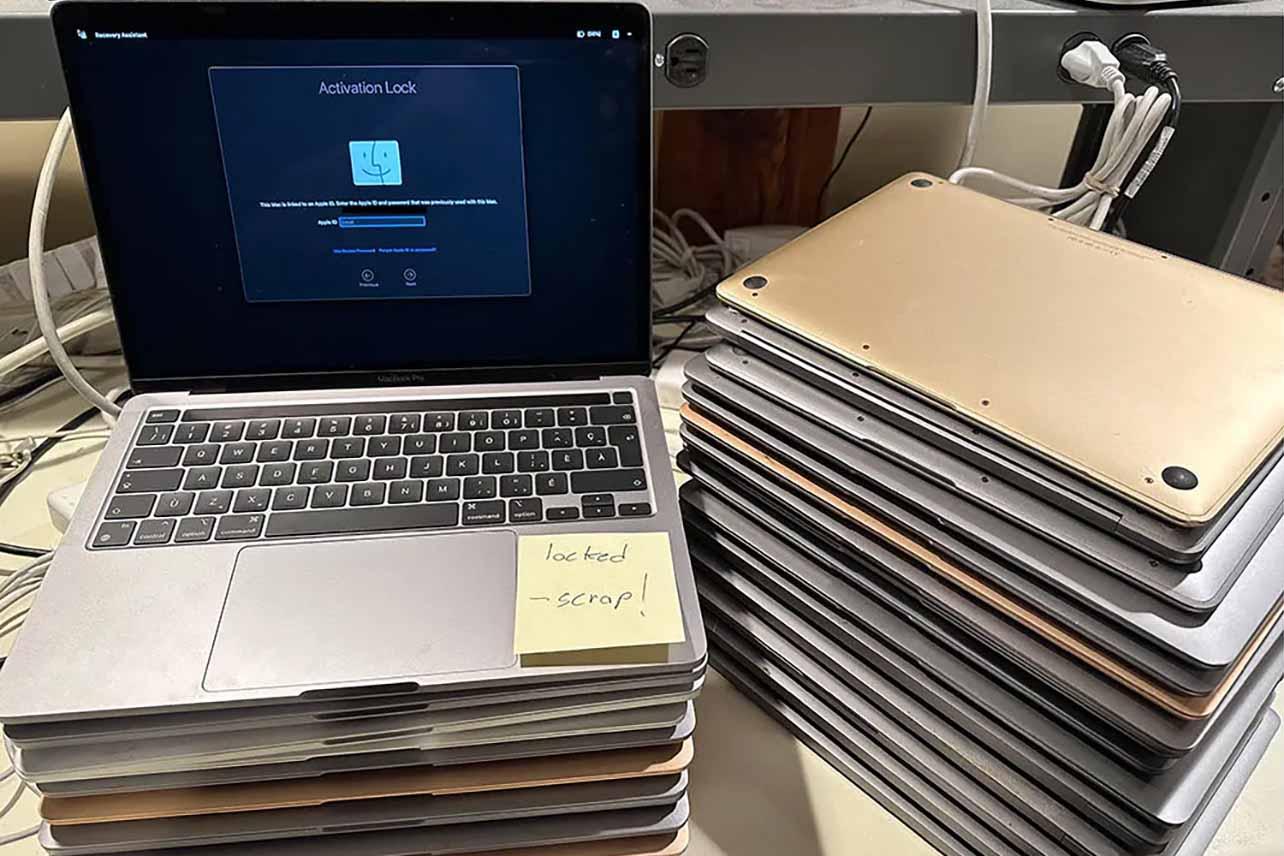
Another reason to hate #Apple We're seeing more 2018+ MacBook Pro/Air donations — but Apple's T2 chip means even after iCloud sign-out and reset, the firmware stays locked to the original account.
-
@yama @codemonkeymike @paulywill
It's in non-volatile memory (EEPROM) embedded in the chipset. It won't forget for 100 years.@RealGene @codemonkeymike @paulywill Is that an actual number ? Well that sucks. Then there have to be other ways of fooling it
-
Another reason to hate #Apple We're seeing more 2018+ MacBook Pro/Air donations — but Apple's T2 chip means even after iCloud sign-out and reset, the firmware stays locked to the original account.
Without donor contact, these machines are useless.

I've upcycled ~1,000 older Macs, but T2 era machines will end that. It's controlling, creates e-waste, and will only get worse. #righttorepair matters — Apple couldn't care less.
@codemonkeymike Hmm, I’m about to donate a bunch of MacBooks. All personal devices that were collecting dust. I’ve reset them and reinstalled the latest macOS possible.
Any way to check if they’re still locked?
-
@nicolas17 @yama @codemonkeymike @paulywill this, most modern machines use NVRAM for variable store. You can't reset it by just yoinking the power.
Not sure how it's done on T2-based x86 (assuming T2 acts as ROT), x86 itself isn't fused so firmware isn't tamper-protected but it could be done by T2 (from what I remember, T2 emulates SPI to the x86 host and actual x86 UEFI lives in dedicated portion of an "SSD".
T2 should be vulnerable to checkra1n though, so it should be possible to fool the ROT and at least modify NVRAM variables to change security policy but it would require some research.@elly @codemonkeymike @paulywill Apparently "google is not your friend" as i cant seem to find anything that concretely tells me how nvram stores data "without power". The web truly is dogcrap theese days...
-
@miked1112 @codemonkeymike you have to specifically remove the iCloud account using these steps, logging out of iCloud and reseting the device is not enough. it's a (purposely?) confusing end user experience. https://support.apple.com/en-us/102773
@ben @miked1112 @codemonkeymike It seems pretty easy to me — go to settings > Erase > follow the guide.