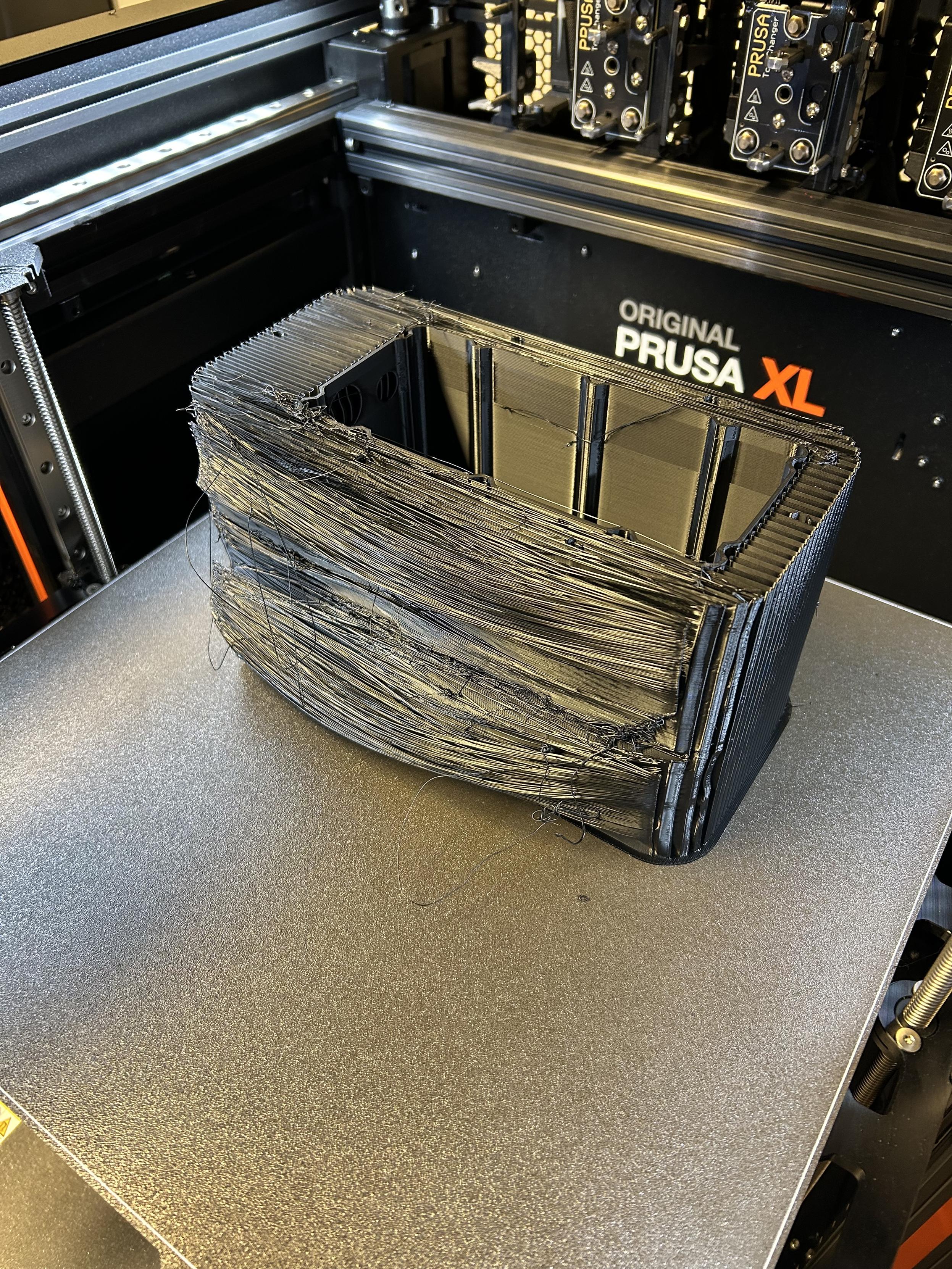
OK, what the actual fuck!?
-
Dette indlæg er slettet!
-
Dette indlæg er slettet!
@jwcph My first guess is an unsupported overhang. Could you add a rendering/photo what the model should have looked like?
-
@jwcph My first guess is an unsupported overhang. Could you add a rendering/photo what the model should have looked like?
@bricks Right, that would probably be helpful
 this is what the object looks like - the sagging, stringy stuff you're seeing in the photo is actually the support material.
 -
@bricks Right, that would probably be helpful
this is what the object looks like - the sagging, stringy stuff you're seeing in the photo is actually the support material.@jwcph For some reason, the narrow layers (single-wall thick support?) did not print on top of each other. Maybe a calibration issue? Or, you could try to rotate the model by 45° on the z-axis. Another approach could be to change the support settings to make supports two walls thick; I have seen similar issues on my first print job using a 0.2 mm nozzle.
-
@bricks Right, that would probably be helpful
this is what the object looks like - the sagging, stringy stuff you're seeing in the photo is actually the support material.@jwcph @bricks I'm sure you have checked all the usual suspects like bed levelling, belt tension, extruder drive wheel not clogged, filament not too old or damp. Supports are usually printed at a higher speed than the main part, so that could be a factor, as it can result in under-extrusion. Another thing that springs to mind is drafts or temperature variations, which can prevent layers from fusing properly, and also shrinkage of the part.
Worth a try is reducing the print speed to see if it helps, and making sure that there are no drafts.